
REPORTIFY
FACEIT reports.
Less hassle.
Select players, add context and submit reports from one panel - right inside your matchroom.
Add to Chrome (opens in a new tab)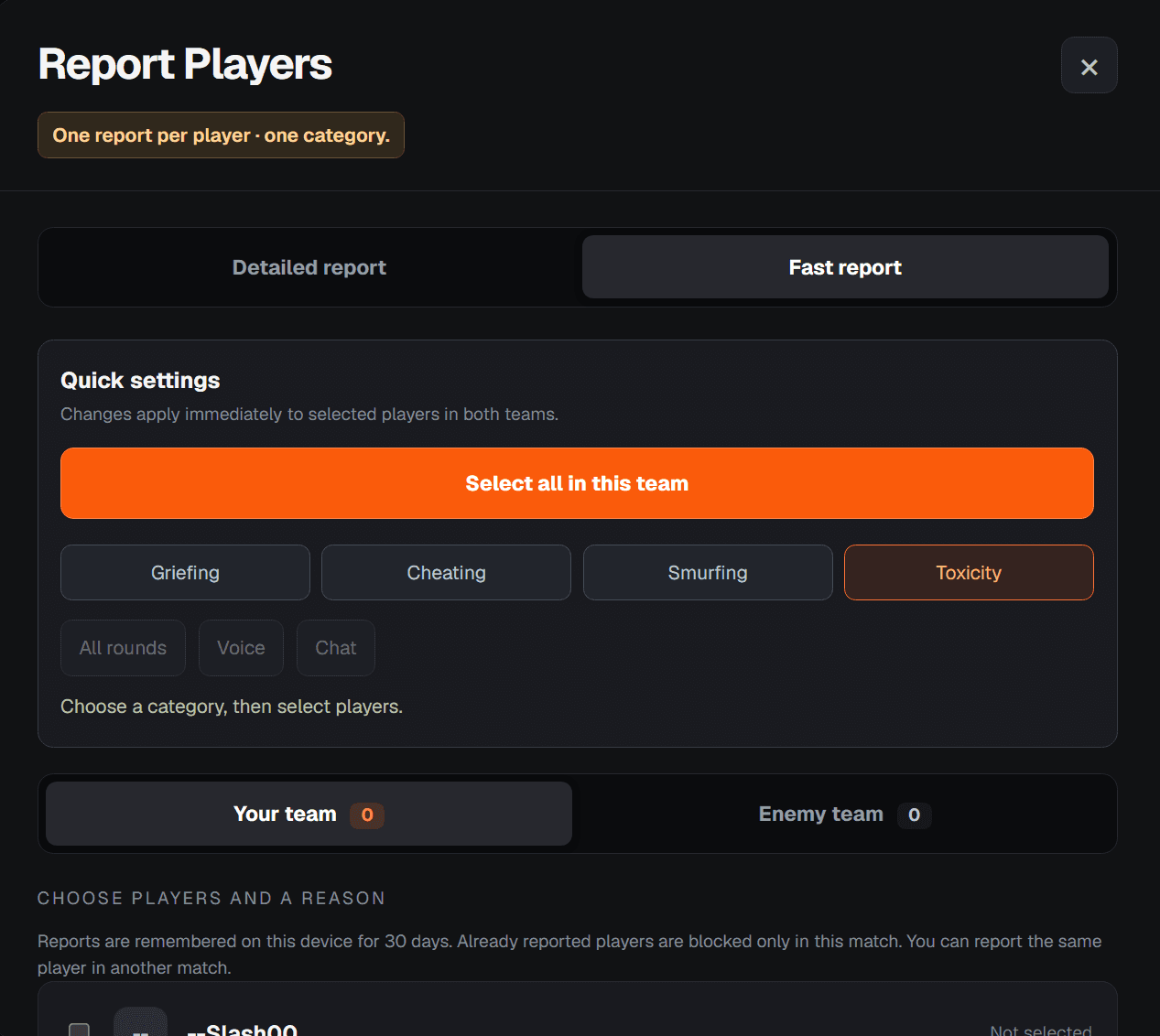
How it works
Select players
Open your FACEIT matchroom and select players from either team.
Add context
Choose a report category. You can also select rounds, attach screenshots or add a video link.
Submit reports
Submit one report per player, in sequence, from the same panel.
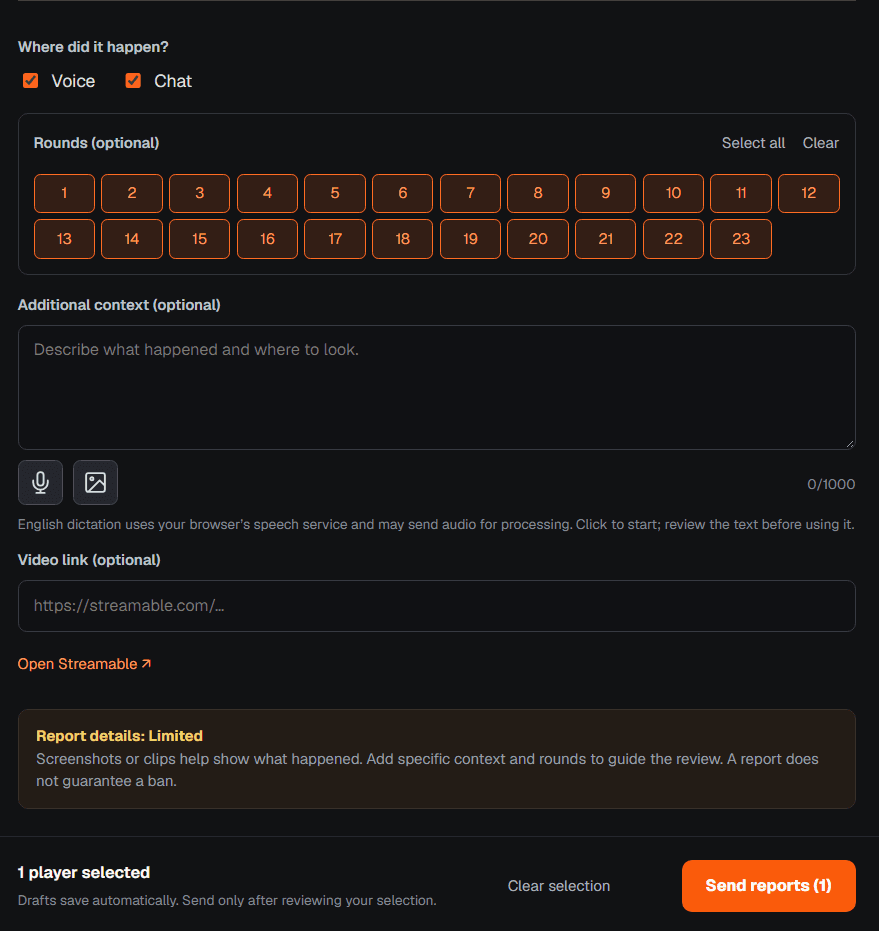
Add context to a report
Select the rounds that matter and describe what happened. Type your description or speak in English voice transcription turns your words into text to help you add context faster. Review the text before sending, and attach screenshots or a video link to show what happened.
Frequently asked questions
Can I report the same player again?
You can submit one report per player, per match. You can report the same player again in another match. Reportify remembers reported players on your device for 30 days.
Can I dictate my report?
Yes. You can speak in English and voice transcription will turn your words into text. You can also type your description. Review the text before submitting your report.
Can I include screenshots or a video?
Yes. You can attach screenshots and add a video link. Selecting relevant rounds and describing what happened helps provide context.
Does submitting a report guarantee a ban?
FACEIT decides how reports are reviewed and whether action is taken. Reportify helps you prepare and submit reports faster and more efficiency.
Is Reportify affiliated with FACEIT?
Reportify is an independent project and is not affiliated with or endorsed by FACEIT. It was previously known as Ticketeer.